Most B2B websites are leaking leads. Companies land on your pricing page, read your case studies, check your integrations and leave without filling in a single form. You never know they were there.
A website visitor alert changes that. It notifies you in real time when a named company arrives on your site, so your sales or marketing team can act while the interest is still warm.
This article explains how website visitor alerts work, what triggers them, how to set them up and how B2B teams are using them to turn anonymous traffic into actionable pipeline.
 What Is a Website Visitor Alert?
A website visitor alert is an automated notification that fires when a company visits your website. Instead of waiting for a prospect to fill in a contact form, you get a signal the moment a business shows interest.
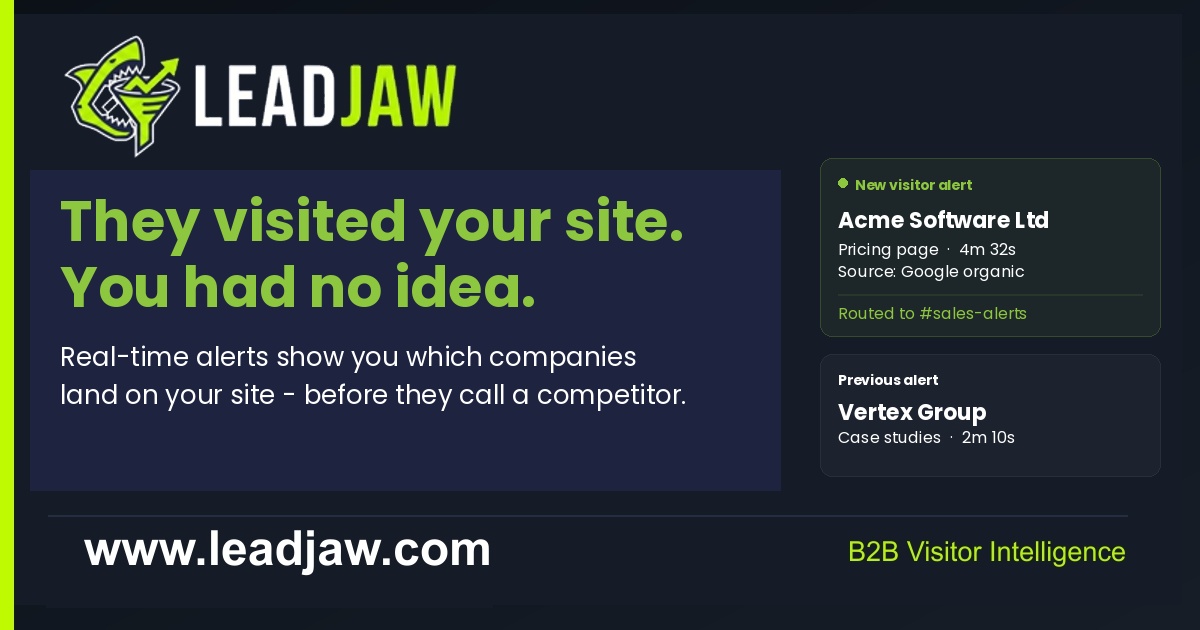
The alert typically tells you:
- The name of the company that visited
- Which pages they viewed and in what order
- How long they spent on each page
- How they found your site, for example organic search, paid ads or a direct link
- The date and time of the visit
This is made possible through B2B visitor identification technology, which matches the visitor's IP address to a company record and enriches it with firmographic data such as industry, company size and location.
The alert itself can be delivered via Slack, email or directly into a CRM like HubSpot, depending on how your tooling is configured.
Why Real-Time Alerts Matter More Than Weekly Reports
Many website analytics platforms let you view historical visitor data, but that is a fundamentally different thing from a real-time alert.
When you review a report on a Friday afternoon showing companies that visited on Monday, the opportunity has usually passed. The buying conversation has moved on. The prospect may already be talking to a competitor.
Real-time alerts create a narrow window of opportunity. When a target account lands on your pricing page right now, a timely and relevant outreach message carries far more weight than one sent three days later.
Consider what a real-time alert enables:
- A sales rep can check LinkedIn and find the right contact at that company within minutes
- A founder can send a short, direct message referencing the company's industry or pain point
- A marketing team can trigger a retargeting audience update based on the visit
- A BDM can prioritise that company above cold outreach targets for the day
The value of an alert decays over time. The closer to the visit you act, the higher the probability of a response.
How to Set Up a Website Visitor Alert
The setup process varies by tool, but the core steps are consistent across most B2B visitor identification platforms.
Step 1: Install a tracking script
You add a small JavaScript snippet to your website, similar to how you would install Google Analytics or a pixel. This script captures session data and sends it to the identification platform. Most tools support WordPress plugins, Webflow integrations and manual script placement for other CMS platforms.
Step 2: Connect your notification channel
You link the platform to wherever you want alerts to land. Slack is the most common choice for B2B sales teams because it fits into an existing workflow without requiring anyone to log into another dashboard. Email is an alternative for smaller teams.
Step 3: Define your alert rules
Not every visit warrants an alert. You configure rules to filter the noise. Common rule types include:
- Alert only when a company visits a high-intent page such as pricing, contact or demo
- Alert only for companies in a specific industry or country
- Alert only when a visit lasts longer than a set duration
- Route alerts for different segments to different Slack channels, for example enterprise visits to one channel and SMB visits to another
Step 4: Test and refine
Run the alerts for a week and look at what you are receiving. If you are getting too many low-quality notifications, tighten the rules. If the volume is low, broaden your criteria. The goal is to receive signals you can actually act on, not a constant stream of noise.
LeadJaw, for example, supports per-rule Slack channel routing so different team members receive only the alerts relevant to them, without cluttering a shared feed.
What Makes a Good Website Visitor Alert?
Not all alerts are created equal. A notification that simply says a company visited your homepage is not particularly useful. A well-designed alert gives you enough context to take action immediately.
The strongest alerts include:
- Company name and firmographic data - industry, employee count, location
- Pages viewed in sequence - so you understand the depth of interest
- Traffic source - knowing whether they came from Google, a referral link or a direct visit tells you something about intent
- Session duration - a company that spent eight minutes on your pricing page is a very different signal from one that bounced after ten seconds
- Form fill data - if the visitor did complete a form during the session, the alert should capture that too
First-touch attribution is particularly valuable here. Many platforms only show you the last click before a visit, which can be misleading. If a prospect first found you through a piece of content three weeks ago, clicked a paid ad yesterday and then visited directly today, last-click attribution would credit only the direct visit. First-touch attribution shows the original source, which is essential for understanding what is actually driving awareness.
How Sales Teams Use Website Visitor Alerts in Practice
The mechanics of setting up alerts are straightforward. The harder question is how to use them effectively without coming across as intrusive or surveillance-like in your outreach.
The most effective approach treats a visitor alert as a buying signal, not a tracking event. You do not tell the prospect you saw them on your website. You use the information to make your outreach more timely and relevant.
Here are practical examples of how B2B teams use alerts in their daily workflow:
- Prioritised cold outreach - a prospect that visited your site today moves to the top of the call list above companies with no known intent
- Warm LinkedIn connection requests - a brief, relevant message sent shortly after a visit has context behind it even if you do not mention the visit directly
- Account-based marketing triggers - if a target account from your ABM list visits, it signals the campaign is landing and the account is warming up
- Founder-led outreach for small teams - a founder or MD who cannot afford a full sales team can personally reach out to the handful of high-fit companies that show intent each week
- Sales and marketing handoffs - marketing can route alerts for companies that match the ICP directly into a sales rep's queue without waiting for a form fill
The key discipline is speed. An alert is only valuable if someone acts on it. Teams that build a clear process around who receives alerts, who acts on them and within what timeframe see the strongest results.
Choosing the Right Tool for B2B Visitor Alerts
The market for B2B visitor identification tools has grown considerably. When evaluating options, there are a few practical criteria worth applying beyond the headline feature list.
Data residency
If your business is based in the UK or EU, where your data is hosted and processed matters for GDPR compliance. UK-hosted tools with data residency in the UK give you a clearer compliance position than US-hosted alternatives.
Pricing transparency
Some tools in this space require you to request a quote rather than publishing pricing openly. That makes it difficult to evaluate cost without entering a sales process. Look for tools that publish their pricing clearly so you can assess fit before committing time to a demo.
Contract flexibility
Month-to-month billing with the option to cancel at any time reduces risk, particularly for smaller teams trialling the category for the first time. Long annual contracts can be difficult to exit if the tool does not deliver value.
Integration depth
Check whether the tool connects to the platforms your team already uses. A Slack integration is table stakes. HubSpot integration, Webflow compatibility and a WordPress plugin are meaningful differentiators if those are part of your stack.
Trial terms
A free trial without requiring a credit card lets you test real data from your own website before making any financial commitment. This is the most reliable way to evaluate whether the identification rate and alert quality are sufficient for your use case.
LeadJaw offers a 10-day free trial with no card required, UK data hosting and Slack alert routing built in, which makes it a practical starting point for UK and EU-based B2B teams evaluating this category.
What Website Visitor Alerts Cannot Tell You
It is worth being clear about the limits of this technology so you can set realistic expectations.
B2B visitor identification works by matching IP addresses to company records. This works reliably for companies using fixed office IP addresses or corporate networks. It is less reliable for remote workers on residential connections or mobile networks, where the IP does not resolve to a company.
Visitor alerts identify the company, not the individual. You will not know which specific person at that company was browsing unless they complete a form. The alert tells you which business showed interest, which is enough to start a targeted outreach sequence, but you will typically need LinkedIn or other tools to identify the right contact to approach.
This is not a reason to avoid the category. It is simply useful context. The signal is a company-level buying intent indicator. Used alongside your existing outreach process, it materially improves how you prioritise time and effort.
For B2B sales and marketing teams that rely on form fills alone, adding real-time website visitor alerts is one of the highest-leverage changes you can make to your pipeline process. The companies visiting your site already have some awareness of you. They are, by definition, warmer than any cold prospect on a list. Acting on that signal quickly is the difference between winning the conversation and missing it entirely.

Perry Jones writes about B2B sales, marketing technology and revenue operations. He has spent over a decade working with sales teams across SaaS, professional services and managed IT, helping them build repeatable pipeline from inbound and outbound channels.