WordPress powers your site, but it won't tell you who is actually visiting. LeadJaw fills that gap. Install the LeadJaw WordPress plugin and start seeing the companies behind your traffic, no theme editing, no developer needed.
How to install the WordPress Plugin for LeadJaw
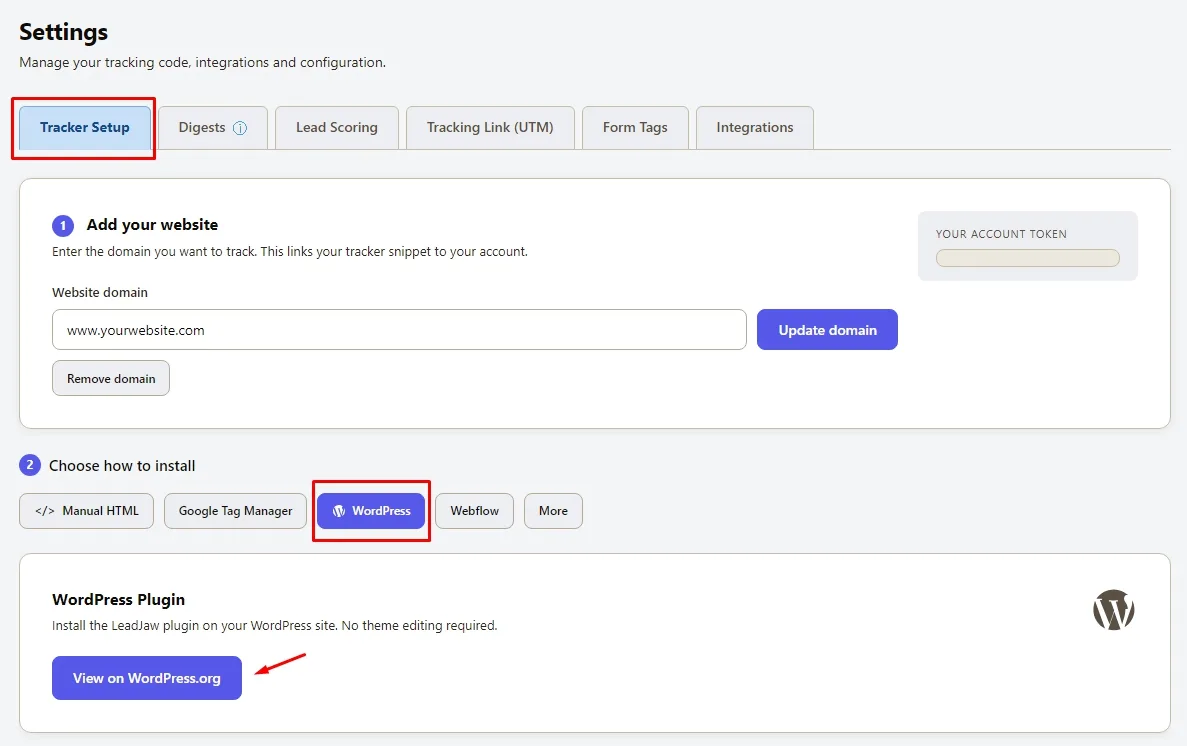
1 - Search for "LeadJaw" in your WordPress dashboard under Plugins, then Add New, and install and activate it.
2 - Copy your Tracking ID and Account Token from LeadJaw under Settings, then paste them into the LeadJaw plugin settings page on your own site.
3 - Tracking goes live immediately, and your first identified companies will appear as they visit your WordPress site.
Form fill tracking included
If you use contact forms on your WordPress site, LeadJaw can capture form submissions and tie them back to the visiting company. You get a cleaner picture of which businesses are engaging with you.
No coding required
You don't need to edit functions.php or touch a single template. Install the plugin, activate it, and LeadJaw handles the rest.
Who is this for?
LeadJaw's WordPress plugin suits B2B businesses that use WordPress and want to understand their web traffic beyond page views and bounce rates. If you run paid campaigns, publish content, or rely on organic search to bring in leads, knowing which companies are responding makes that effort measurable.
Ready to get started?
If you don't have a LeadJaw account yet, start your free trial and you'll be set up in a few minutes. If you're already a customer, head to your WordPress Plugins page, search for LeadJaw and add it as you would any other plugin.
View our integrations available today.