A company on your pricing page has already done the research. They know your category, they have narrowed their options and they want to know whether you fit their budget. That puts them further into the buying process than almost any other anonymous visitor on your site.
Most of that intent goes unnoticed. Without a page-specific alert, the visit disappears into your analytics as a number. The company moves on, and so does your sales team, in separate directions.
This guide covers why pricing page alerts are the highest-value alert you can configure, how to set one up in LeadJaw, and what to do when one fires.
Why the pricing page is the most valuable page to monitor
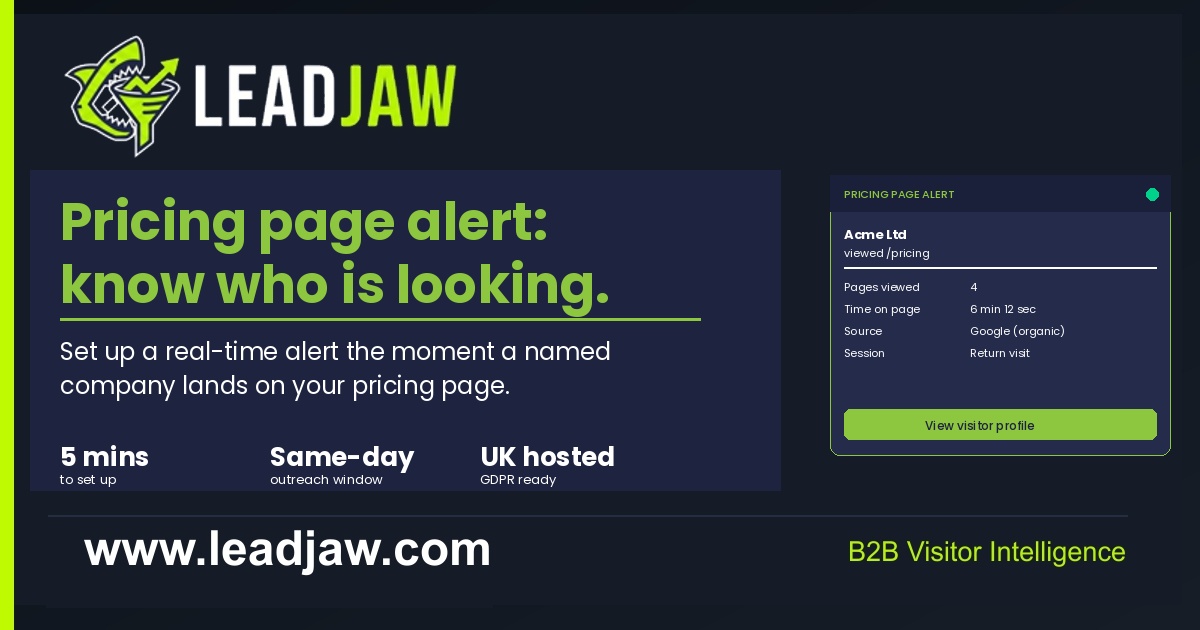
Not all page visits carry the same weight. A company reading a blog post is in research mode. A company on your about page is doing a quick credibility check. A company on your pricing page is asking a very specific question: can we afford this and does it fit our budget?
That question puts them at the bottom of the awareness funnel. They are not idly browsing your category. They are evaluating you specifically.
The pricing page also tends to attract return visits. A company that views it once, leaves, and comes back a few days later is demonstrating exactly the kind of deliberate consideration that precedes a purchase decision. A return visit to pricing is one of the strongest buying signals available from anonymous traffic.
For these reasons, pricing page alerts should be treated differently from general visit alerts. They warrant a direct, prompt response from the rep who owns that territory, not a passive note in the CRM.
General visit alerts vs high-intent page alerts
Before setting up a pricing page alert, it helps to understand where it sits in the alert hierarchy.
A general visit alert fires whenever any identified company lands on your site, regardless of which page they view. These are useful for broad pipeline awareness but they create noise. Routing every company visit directly to a rep leads to alert fatigue, and reps quickly stop acting on them.
A high-intent page alert is scoped to a specific URL or URL pattern. It only fires when a company visits that page. Because the trigger is tighter, the signal is stronger and the rep's response is more focused.
The pricing page is the clearest candidate for a high-intent alert. Other candidates include your demo request page, a specific product or plan comparison page, and case studies in industries that closely match your ICP. These pages share a common characteristic: a visitor on them has already made a decision to evaluate you seriously.
The practical difference is how the rep should respond. A general visit might warrant a CRM note. A pricing page visit warrants a same-day personalised outreach.
How to configure a pricing page alert in LeadJaw
LeadJaw lets you create alert rules scoped to any page URL. Setup takes around five minutes.
- Log in to your LeadJaw dashboard and go to Settings > Alert Rules
- Click Add rule
- Under Trigger, select Page URL contains and enter your pricing page path, for example
/pricing - Under Notify, choose Slack and select the channel where the alert should land, a dedicated #pricing-alerts or #hot-leads channel works better than a general #website-visitors channel
- Under Filter, choose whether to alert on every visit or only visits from identified companies. For a pricing page, identified companies only is the right setting, unidentified traffic on a pricing page has no actionable name attached
- Save the rule and visit your own pricing page to confirm the alert fires correctly
If you want to route pricing page alerts to a specific rep rather than a shared channel, set up a dedicated Slack channel for that rep and route the rule there. LeadJaw supports per-rule channel routing, so you can have different alert rules firing to different channels without any overlap.
For accounts with multiple pricing tiers or plan comparison pages, create a separate rule for each URL so you can track which plan level the company is considering.
What to do when a pricing page alert fires
The alert is only useful if the rep acts on it. Here is a practical response framework.
Check the visitor profile first
Before reaching out, open the visitor record in LeadJaw. Look at three things: how many pages they viewed, how long they spent on the pricing page, and how they found you. A company that arrived via a Google search for your brand name and spent six minutes on pricing is a very different prospect from one that bounced in via a display ad and left after 30 seconds.
Check the CRM
Is this company already in your pipeline? If there is an active deal, notify the account owner immediately rather than reaching out cold. If the company is known but the deal has gone quiet, a pricing page visit is the natural trigger for a re-engagement message.
Outreach timing
Aim to respond within the same business day. A same-day response, when the company is still in active evaluation mode, is significantly more likely to land than one sent three days later. If the visit happens outside business hours, a response first thing the following morning still qualifies.
What to say
Keep the outreach short and specific. Reference the product area they were looking at without revealing that you know they visited your site. Something like:
We work with [industry] teams on [problem your product solves]. Happy to walk you through how it works and what it costs if it is useful, takes about 20 minutes.
That framing is natural, relevant and low-pressure. It gives the prospect a clear next step without making the outreach feel surveillance-led.
What not to say
Do not reference the visit directly. Saying "I noticed you were on our pricing page" immediately raises questions about how you know that, which is not the conversation you want to open with.
What if the company is known but the contact is not?
This is the most common situation. LeadJaw identifies the company by matching the visitor IP to a company record. It does not identify the individual unless they have previously submitted a form on your site.
In that case, you have a few options.
LinkedIn prospecting
Search for the company on LinkedIn and identify two or three contacts who match the buying profile for your product: typically a head of sales, a marketing director or a founder, depending on your ICP. You do not need to find the exact person who visited. You need to find the most likely decision-maker and reach out with a relevant, timely message.
Existing contacts
Check whether anyone at the company is already in your CRM or email list. If a contact exists, reach out to them directly. A pricing page visit from their company is a natural reason to re-engage.
Wait for the form fill
If the company is genuinely interested, there is a reasonable chance a form fill follows the pricing page visit within a few days. If you have a low-friction contact option on your site, a live chat, a simple contact form or a Calendly link, that reduces the gap between intent and action. LeadJaw will capture and attribute the form fill to the same session if it comes through.
The pricing page alert gives you the earliest possible signal. What you do with it depends on how much is already known about the company and whether the outreach investment is proportionate to the deal size.

Perry Jones writes about B2B sales, marketing technology and revenue operations. He has spent over a decade working with sales teams across SaaS, professional services and managed IT, helping them build repeatable pipeline from inbound and outbound channels.