A Calendly booking tells you who wants to talk. It does not tell you how they found you, which pages they read or how many times they visited before they picked a time slot. That context sits in your website traffic, and most of it goes unseen.
The LeadJaw Calendly integration closes that gap. Every booking is captured as a form fill and matched to the visitor's full journey on your site. You see the name and email from the booking alongside the company they visited from, the source that brought them in and every page they viewed along the way.
Why bookings on their own only tell half the story
Say a prospect books a demo for Thursday. Useful, but flat. Now add the journey: they arrived from a Google search two weeks ago, read three blog posts, came back via LinkedIn, spent four minutes on your pricing page and then booked. That is a very different conversation to walk into.
With the journey in front of you, you can:
- Prepare for calls properly. Know which features, case studies or pricing tiers the prospect looked at before they booked.
- Prove which channels drive meetings. Bookings become the end point of a visible journey, so you can trace them back to organic search, paid campaigns, referrals or direct visits.
- Spot the company behind the booking. LeadJaw matches business visitors to their company, so a booking from a personal Gmail address can still connect to the firm that visited your site.
How the integration works
LeadJaw supports both free and paid Calendly accounts. Setup takes a couple of minutes under Settings then Integrations in your LeadJaw dashboard.
Free Calendly accounts
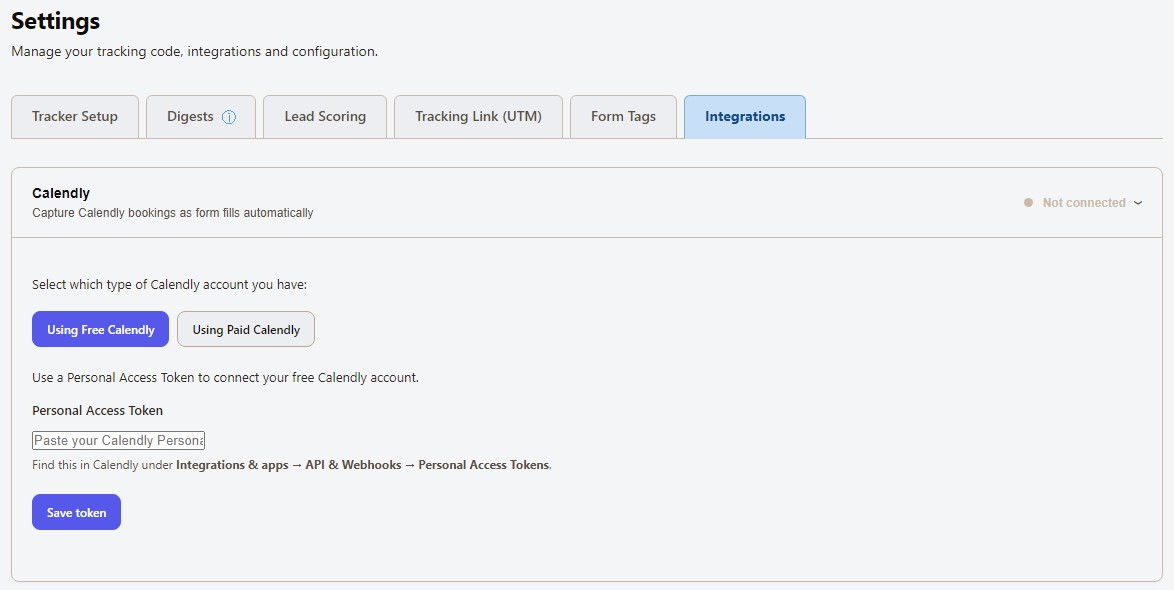
Free Calendly plans connect with a Personal Access Token. Generate one in Calendly under Integrations and apps, then API and Webhooks, then Personal Access Tokens. Paste it into LeadJaw and save.
LeadJaw then polls Calendly on a schedule and pulls new bookings into your account as form fills.
Paid Calendly accounts
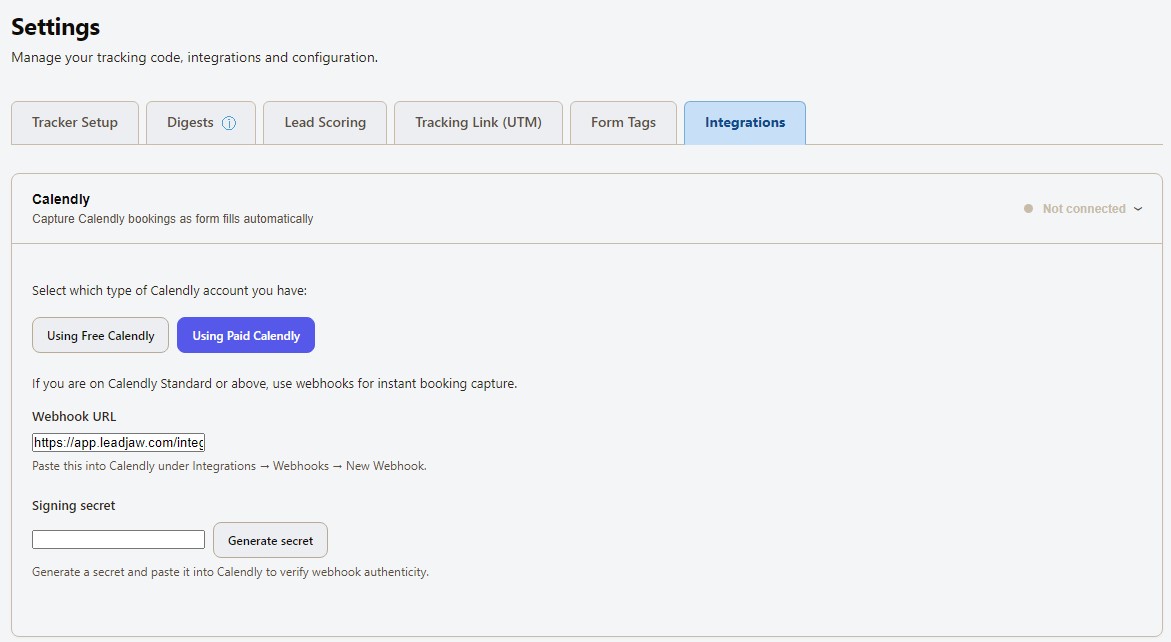
If you are on Calendly Standard or above, use webhooks instead. Copy the webhook URL from LeadJaw into Calendly under Integrations then Webhooks, generate a signing secret to verify authenticity and you are done.
Bookings land in LeadJaw the moment they happen, no polling delay.
What you see once it is connected
Each booking appears in LeadJaw as a form fill attached to a visitor record. Open the record and you get the booker's details from Calendly next to the visit history LeadJaw has already tracked: the company, the traffic source, the pages viewed, the time spent and any earlier sessions from the same visitor.
Bookings also feed into your lead stages and alerts. Set an alert rule for new form fills and get notified by email or Slack the moment someone books, complete with the context you need before the call.
If you already use Calendly and LeadJaw, connecting the two takes minutes and needs no code. View the other integrations we have available or try LeadJaw, the Free 10 day trial needs no credit card and works with your existing Calendly account from day one.

Perry Jones writes about B2B sales, marketing technology and revenue operations. He has spent over a decade working with sales teams across SaaS, professional services and managed IT, helping them build repeatable pipeline from inbound and outbound channels.